How to use batch processing in Wavosaur
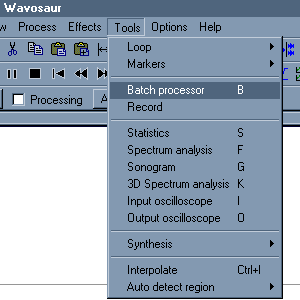
1.

Open the batch processor:
go to menu Tools>Batch processor.
you can also press 'B on your keyboard.'


2.

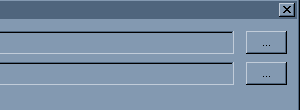
Click on the "..." buttons to open the file dialog window..


3.

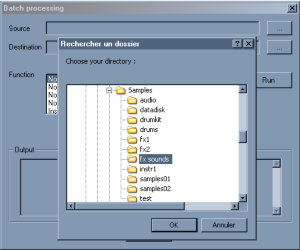
Select a source folder, all the audio files in this folder will be processed. (sub folder are not processed)
Select a destination folder where the processed files will be written.
If you set the same folder as source and destination folder your files may be overwritten !


4.

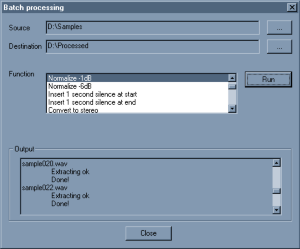
Choose the process you want to apply in the "Function" list.
M ake sure there are VST effects in the rack if you choose "VST chain".


5.

Click on the "Run" button to start the batch processing.
The output windows shows the operations.


serious problem with Wavosaur( CPU load and flickering GUI)
by: musicus
May 12, 2008, 6:46 pm

Timestretching and Pitchshifting in high quality
by: youri
May 11, 2008, 11:53 pm

warning message
by: youri
May 11, 2008, 11:26 pm

Akai Samples
by: xpander
May 10, 2008, 12:11 pm

My Tracks
by: poivre
May 9, 2008, 11:59 am

Markers Limit
by: Exorcist
May 8, 2008, 1:57 pm

Huge, giant thanks...
by: Exorcist
May 8, 2008, 1:49 pm

VST Host flaw: resizable VST GUIs don't work
by: R.A.W.
May 6, 2008, 8:01 pm

feature requests - zoom and scroll related
by: iain
May 2, 2008, 3:44 pm

determine Bpm
by: THK
May 2, 2008, 3:21 pm

A surround plugin for Zoom H2
by: monkeybumper
May 1, 2008, 11:46 pm

Enregistrement multi-pistes
by: Rex
May 1, 2008, 11:43 pm

Keyboard Shortcuts and other questions
by: Rex
Apr 30, 2008, 10:56 pm

Free Guitar Amp VST, Free Maximizer VST
by: aradaz
Apr 30, 2008, 8:40 pm

Wavosaur very good job for this free audio editor!!!
by: Exorcist
Apr 30, 2008, 4:14 pm