How to edit loop points with Wavosaur


1.

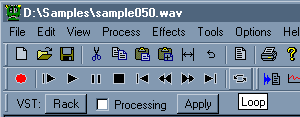
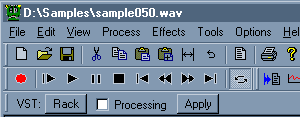
Check the "Loop" button in the transport bar.
Now the playing is looped (on selection or on the entire file if there's no selection)


2.

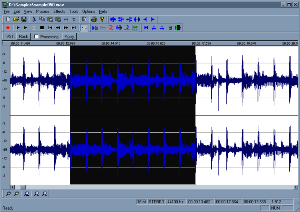
Make a selection with the mouse. You can use the mousewheel to zoom in/out, and right click+drag to move the view.


3.

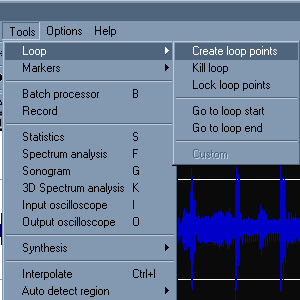
Go in menu Tools>Loop>Create loop points.
You can also press "L" on your keyboard, wich is the shortcut for inserting loop points on selection.


4.

Loop point are inserted at selection start and selection end. You can drag the loop points with the mouse. Double click anywhere inside the loop points makes a selection.
If you save the file, the loop points are stored in the .wav and are recognized in software samplers, sequencers, and other audio applications.


5.

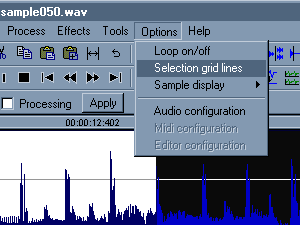
If you are making rythm based loop, the "selection grid lines" can be useful for quick looping.
Go in menu Option>Selection grid lines..


6.

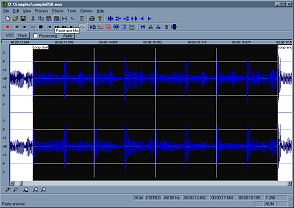
With selection grid line actived, lines are drawed to show 4 beats in the selection. You can edit the wavosaur.cfg file to change the number of beats, find the line "SelectionGridLineNumber" and edit the number..


serious problem with Wavosaur( CPU load and flickering GUI)
by: musicus
May 12, 2008, 6:46 pm

Timestretching and Pitchshifting in high quality
by: youri
May 11, 2008, 11:53 pm

warning message
by: youri
May 11, 2008, 11:26 pm

Akai Samples
by: xpander
May 10, 2008, 12:11 pm

My Tracks
by: poivre
May 9, 2008, 11:59 am

Markers Limit
by: Exorcist
May 8, 2008, 1:57 pm

Huge, giant thanks...
by: Exorcist
May 8, 2008, 1:49 pm

VST Host flaw: resizable VST GUIs don't work
by: R.A.W.
May 6, 2008, 8:01 pm

feature requests - zoom and scroll related
by: iain
May 2, 2008, 3:44 pm

determine Bpm
by: THK
May 2, 2008, 3:21 pm

A surround plugin for Zoom H2
by: monkeybumper
May 1, 2008, 11:46 pm

Enregistrement multi-pistes
by: Rex
May 1, 2008, 11:43 pm

Keyboard Shortcuts and other questions
by: Rex
Apr 30, 2008, 10:56 pm

Free Guitar Amp VST, Free Maximizer VST
by: aradaz
Apr 30, 2008, 8:40 pm

Wavosaur very good job for this free audio editor!!!
by: Exorcist
Apr 30, 2008, 4:14 pm