How to record audio with Wavosaur

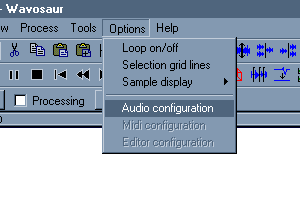
Option menu

1.

You have to select a source for the audio input.
Go in menu Option>Audio configuration.


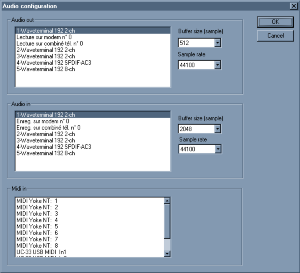
Audio configuration dialog

2.

Select the input for incoming audio in the "Audio in" tab.
Select the samplerate in the drop down list.
Select the buffer size in the drop down list :increase the size if you experience glitches in the recording.


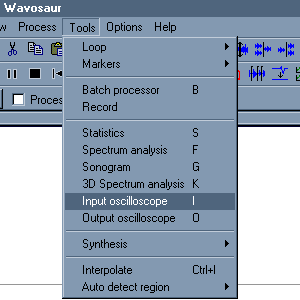
Input oscilloscope

3.

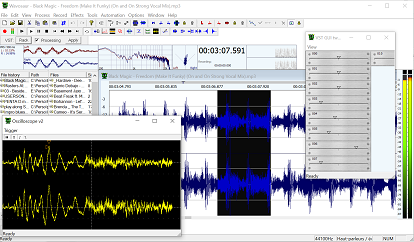
Optional : you can open the oscilloscope window to visualize and check the presence of the incoming audio. Menu Tools>Input osciloscope.


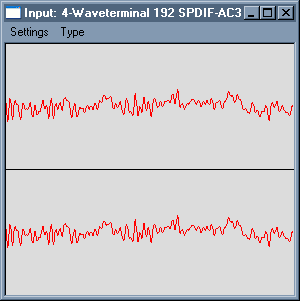
Live input

4.

The input oscilloscope window should display your input signal.
If the display is flat, check the audio input chosen in the step 2.


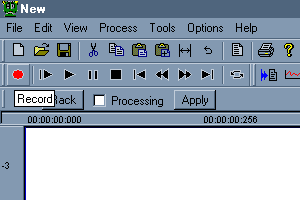
Record button

5.

Click on the Record button start the recording.
Depending on your audio drivers you can record while playing a sound with Wavosaur.
To stop the recording you have to click on the Record button again (not the "Stop" button).


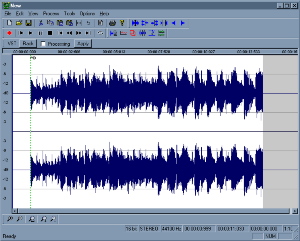
Recording sample

6.

The recorded data is appended at the end of the actual file.
A marker is automatically inserted at the beginning of the recording.


AIFF support
by: Wavosaur Main Developer
May 15, 2013, 1:07 pm

Density Mk3 Crash
by: geoslake
May 12, 2013, 11:57 pm

VST with Winzip?
by: drhrabbi
May 11, 2013, 2:10 pm

Convert 'marker points' into 'loop points' for quick playbak
by: Rex
Apr 29, 2013, 9:04 pm

Wax Cylinder Effect?
by: monkeybumper
Apr 25, 2013, 4:32 pm

FLAC support
by: Wavosaur Main Developer
Apr 24, 2013, 7:33 pm

Wavosaur for DOS 6.22
by: Wavosaur Main Developer
Apr 24, 2013, 7:31 pm

Editing
by: RAYO
Apr 23, 2013, 1:18 am

Wavosaur for Macs
by: Wavosaur Main Developer
Apr 22, 2013, 8:24 pm

Basic time Editing, fading in and out, and volume boosting
by: Wavosaur Main Developer
Apr 20, 2013, 4:29 pm

Do you want an installer for Wavosaur ?
by: Rex
Apr 16, 2013, 1:32 pm

What is LOAD: FXB & FXP
by: PabloSpinelli
Apr 14, 2013, 2:51 am

redesign vst rack
by: Rex
Apr 11, 2013, 6:10 pm

asio4all
by: poivre
Apr 9, 2013, 12:39 am

Where is rec file, I need to recover
by: Rex
Apr 7, 2013, 11:33 pm