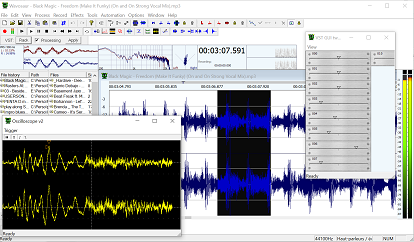
How to use VST plugin effects with Wavosaur
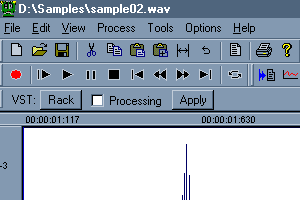
VST rack button

1.

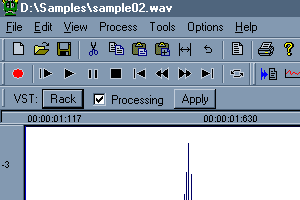
Open the VST Rack by clicking on the" Rack" Button located under the transport bar.


Loading VST into the rack

2.

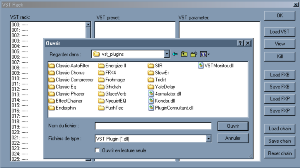
Select "Load VST" and choose your plugin DLL in the dialog box.


VST presets selector

3.

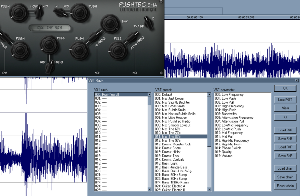
Click on "View" to open the VST effect GUI.
You can browse through the preset in the preset list (the second tab).


Processing checkbox

4.

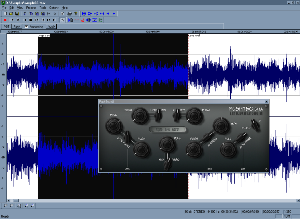
Check "Processing" : now the played audio is processed in real time by the VST.
You can tweak the VST parameters and hear the changes in real time.


Apply VST button

5.

Click "Apply" if you want to apply the process to your audio file.
Don't forget to uncheck the "processing" unless you want to hear your audio re-processed.


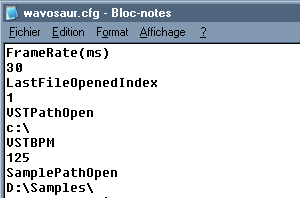
editing cfg file

6.

You can edit the wavosaur.cfg file to define a preferred path for the VST plugins.
Find the VSTPathOpen line and edit the path under this line (default is C:\).


AIFF support
by: Wavosaur Main Developer
May 15, 2013, 1:07 pm

Density Mk3 Crash
by: geoslake
May 12, 2013, 11:57 pm

VST with Winzip?
by: drhrabbi
May 11, 2013, 2:10 pm

Convert 'marker points' into 'loop points' for quick playbak
by: Rex
Apr 29, 2013, 9:04 pm

Wax Cylinder Effect?
by: monkeybumper
Apr 25, 2013, 4:32 pm

FLAC support
by: Wavosaur Main Developer
Apr 24, 2013, 7:33 pm

Wavosaur for DOS 6.22
by: Wavosaur Main Developer
Apr 24, 2013, 7:31 pm

Editing
by: RAYO
Apr 23, 2013, 1:18 am

Wavosaur for Macs
by: Wavosaur Main Developer
Apr 22, 2013, 8:24 pm

Basic time Editing, fading in and out, and volume boosting
by: Wavosaur Main Developer
Apr 20, 2013, 4:29 pm

Do you want an installer for Wavosaur ?
by: Rex
Apr 16, 2013, 1:32 pm

What is LOAD: FXB & FXP
by: PabloSpinelli
Apr 14, 2013, 2:51 am

redesign vst rack
by: Rex
Apr 11, 2013, 6:10 pm

asio4all
by: poivre
Apr 9, 2013, 12:39 am

Where is rec file, I need to recover
by: Rex
Apr 7, 2013, 11:33 pm