
3.6. Editing wavosaur.cfg

Some configuration options are not yet available from the Wavosaur interface, but you can edit the wavosaur.cfg file to enter your settings.

Open the file:
First be sure that Wavosaur is NOT running
Open the wavosaur.cfg file with the Window notepad program.
The configuration informations are presented as:
NAME
VALUE
You can change the VALUE fields.

VSTPathOpen
enter your preferred VST path folder

VSTBPM
enter the default BPM for Wavosaur

SamplePathOpen
enter your preferred sample path folder

ReminderOnClose
0 = no reminder on close
1 = reminder on close

PasteReplace
0 = paste insert the clipboard data at cursor
1 = paste replace the selection with the clipboard data

AlwaysNewForRecord
0 = record appends datas to the current file
1 = record creates a new file

PopupMenuRightClick
0 = drag waveform with rightclick (no context menu on right click)
1 = context menu on right click
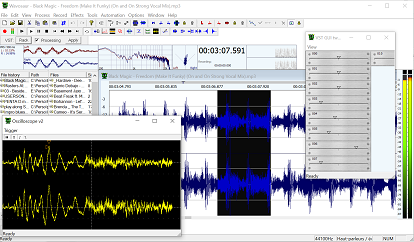
I modded the graphic of the prog and I will share with you
by: rinox
Aug 30, 2008, 1:35 am

Radio effect VST
by: mickeyrooney
Aug 29, 2008, 11:56 pm

Wavosaur 1.0.3.0 is released !
by: dj_stew
Aug 29, 2008, 10:41 am

Impulse response convolution reverb
by: Elena
Aug 28, 2008, 11:27 pm

Please add manifest xml for xp themes support
by: Rex
Aug 28, 2008, 9:06 pm

Non-PCM WAV support (ACM)
by: Rex
Aug 28, 2008, 9:05 pm

Is there an option to remove channel?
by: Wavosaur Main Developer
Aug 28, 2008, 7:35 pm

VST scan plugins
by: Wavosaur Main Developer
Aug 28, 2008, 1:38 pm

Make our own skin ?
by: monkeybumper
Aug 28, 2008, 1:04 am

Wavpack file support
by: Wavosaur Main Developer
Aug 27, 2008, 2:59 pm

Missing keyboard shortcuts
by: andre
Aug 27, 2008, 10:01 am

click and noise removal
by: bonaguri
Aug 27, 2008, 5:53 am

Open import wavpack compressed audio files
by: Wavosaur Main Developer
Aug 27, 2008, 12:19 am

Open import ogg vorbis compressed audio files
by: Wavosaur Main Developer
Aug 27, 2008, 12:15 am

Make REX files
by: andre
Aug 26, 2008, 10:45 pm